Reference article in the series Vaadin – Deployment on Hetzner. From the production build to a hardened systemd service: Jetty, WAR, and Java on a Debian 13 server — with no outside access yet. All commands, outputs, and measurements come from an actual run.
Target Architecture
This part assumes the server that Part 0 produces: Debian 13, an administrative
user with sudo, SSH exclusively via key, a firewall that lets only 22, 80, and
443 through inbound, a service account without login capability, and a directory
structure that separates program, configuration, and mutable data. Anyone who
set up their server differently should know the deviations — the following steps
build on this foundation.
From here on, the application joins the picture.
Three Building Blocks
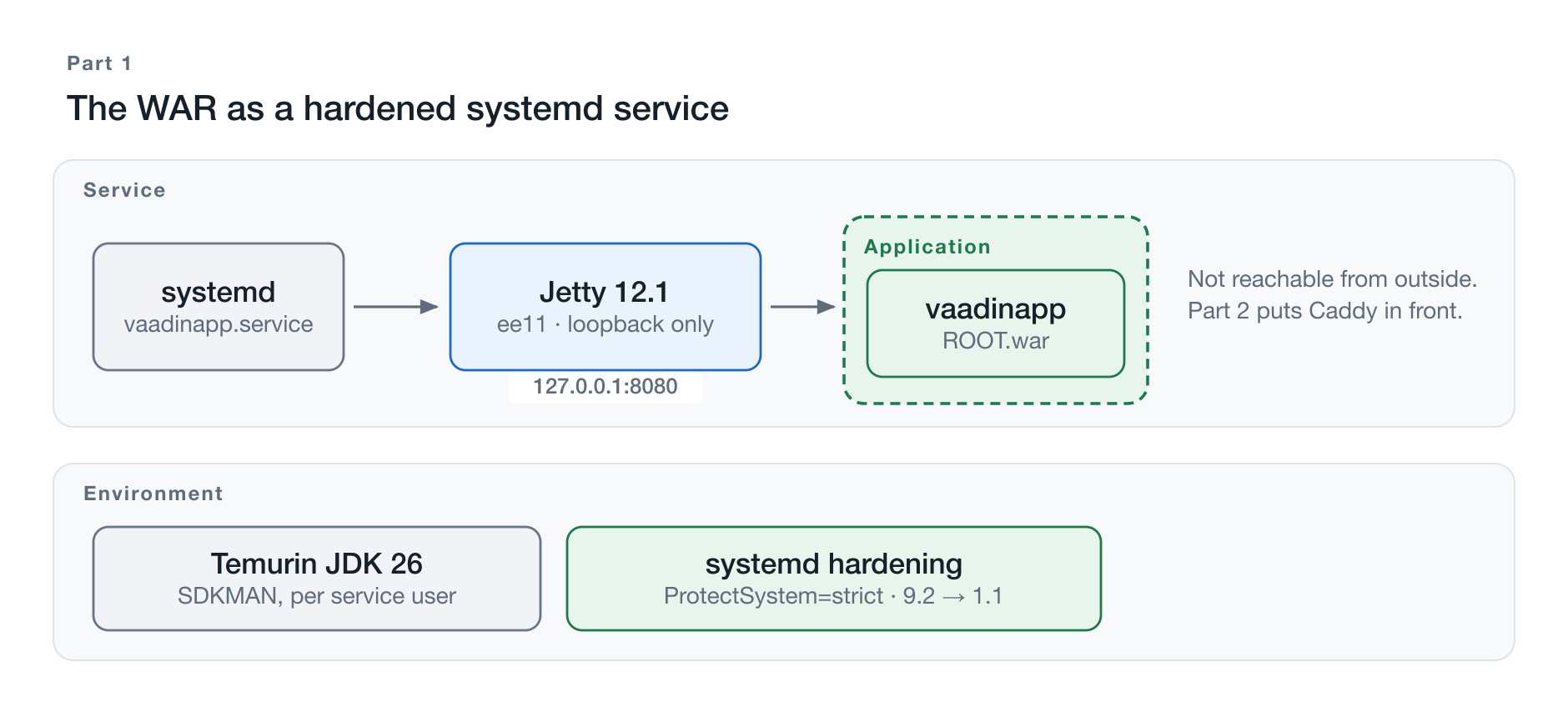
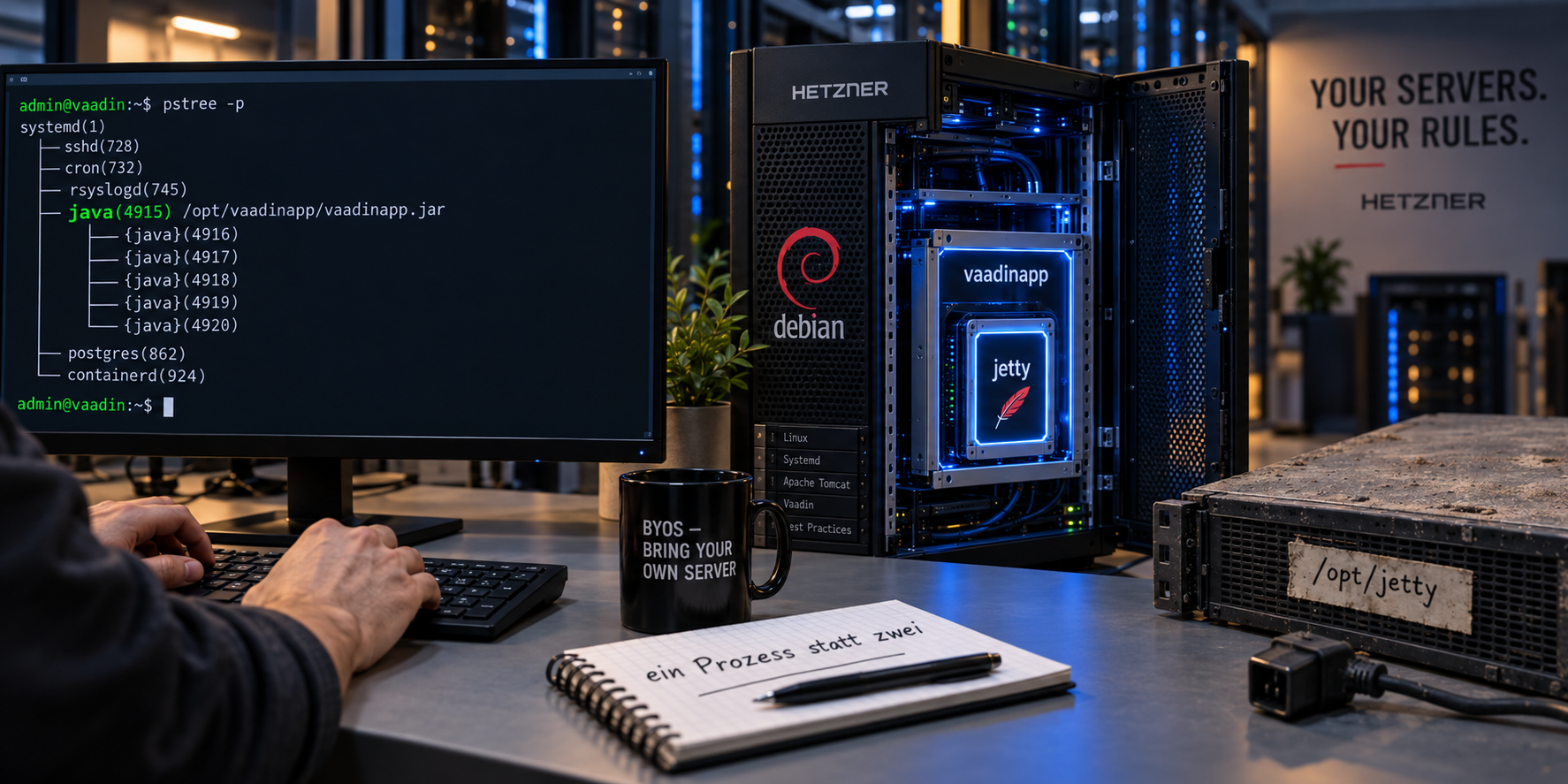
Figure 1: The state at the end of this part: hardened and reachable only locally.
At the end of this part, a Vaadin application runs as its own system service on the server — started at boot, locked down, logged. It is reachable exclusively locally. Three building blocks are involved:
Jetty is the servlet container. It is installed as standalone software, runs under its own service account, and listens exclusively on the loopback address. It cannot be reached from the internet.
The WAR is the application. It is built on the development machine, copied to the server, and served by Jetty. Nothing more belongs to the application in this part — not Jetty, not the Java runtime, and certainly not the server.
systemd keeps the service running, starts it at boot, locks it down, and collects the logs.
The fourth building block is deliberately missing here: Caddy, which accepts requests from the internet, terminates TLS, and obtains the certificate. It is the topic of Part 2. This order is no accident — and no convenience either.
Why Outside Access Comes Only Afterward
A service that is not yet reachable can be set up in peace. It can be started, observed, restarted, and stopped again without anyone watching. Part 0 showed how fast that otherwise happens: the first foreign login attempt arrived 23 seconds after system startup.
That is why this part ends at a point where you can stop. Anyone who takes a break after the last chapter leaves behind not a half-finished state on the network but a finished service that nobody sees from outside. The way out is built deliberately in Part 2 — with certificate, forwarding headers, and everything that goes with it.
The Boundary That Shifts
The section about the WAR contains the common thread of the whole series. In this part, the application is only the WAR; everything else is environment that somebody set up beforehand and that is maintained independently of it.
In the later parts, this boundary moves outward. Part 3 turns Jetty into a library of the application. Parts 4 and 5 change the form of delivery. Part 6 finally takes the Java runtime in as well — then the application runs on a server with no Java installed at all.
Each of these shifts takes responsibility away from the server and hands it to the release. Which split is the right one depends on who maintains the server and how often the application is delivered. This part describes the starting point the later ones compete against.
What Becomes Visible Along the Way
The setup is deliberately not the most convenient one. There is no start command that does everything at once. Instead, each step is done individually: build the artifact, install the runtime, set up the container, define the service, lock it down.
That is more work than a ready-made container image — and it makes visible what a container otherwise hides. Anyone who has once decided by hand which process listens on which port under which account and which directory it may write to will make those decisions more consciously later in a container environment as well.
Ground Rules of the Series
This series leaves things out, and deliberately so. The omissions are not a simplification for beginners but the core of the undertaking: the point is to see the mechanics that usually sit behind an abstraction.
The Code State for This Part
The demo application is open. The repository evolves over the course of the series — each part therefore has its own state that can be checked out:
git clone https://github.com/svenruppert/Blog-Vaadin-Deployment-on-Hetzner
cd Blog-Vaadin-Deployment-on-Hetzner
git checkout teil-02
The tag teil-02 carries the state that this part and Part 2 describe: a
single Maven module whose build produces target/ROOT.war. All paths in the
following chapters refer to it.
From Part 3 on, the project is split into several modules, because a second
delivery form joins there. Anyone who clones the current main branch therefore
finds war-jetty/target/ROOT.war instead of target/ROOT.war — and a reason
for it that Part 3 explains.
No Spring
The application is a pure Vaadin application without Spring Boot. This removes the automation that would otherwise take care of the largest part of this article: embedded server, configuration resolution, executable archive, operational endpoints.
Spring Boot is a good choice for that. Anyone who uses it does not have to decide much of what is described here — but they should know what was decided.
No Development Mode
Everything that runs here is a production build. Vaadin behaves distinctly differently in the two modes: in development mode, an additional process loads the frontend at runtime, there is live reload and verbose error pages. None of that has any business on a server.
Chapter 4 shows how to recognize a production build — and what happens if you accidentally fail to build one.
No Docker
No container, no image, no registry. The application runs as an ordinary process on the operating system.
That is the more unusual variant today and therefore needs explaining: a container answers several questions at once — isolation, dependencies, delivery, restart behavior. These questions do not disappear when no container is involved; they merely have to be answered one at a time. That is exactly what happens in Chapters 9 through 11.
No Kubernetes
One server, one application. No orchestration, no replicas, no rollout procedure with intermediate states.
That has consequences the text does not hide: a restart means downtime, and it is measurable. Part 2, Chapter 8 gives the number.
No CI/CD
The artifact is built on the development machine and brought to the server by hand. No pipeline, no build server, no automatic rollout.
That, too, is intentional. A pipeline automates a procedure — it does not replace it. Anyone who has performed the procedure by hand once can automate it; anyone who has never seen it automates a guess.
Jetty as the Servlet Container
Of the servlet containers Vaadin supports, the choice falls on Jetty. It is lean, its configuration is easy to read, and in Part 3 it can be pulled into the application as a library without a break — which would not be possible with a full application server.
For Tomcat, almost everything described here applies analogously; the paths and module names differ.
Manual Deployment
Copy, stop the service, swap the file, start the service. Four steps that appear individually in Part 2, Chapter 8 and in reverse in Part 2, Chapter 9.
Anyone who knows them will know exactly where an automated deployment can fail — and what a rollback actually costs.
Versions Used
| Component | Version |
|---|---|
| Debian | 13 (trixie), kernel 6.12.107 |
| JDK | Eclipse Temurin 26.0.2, installed via SDKMAN |
| Vaadin | 25.2.6 |
| Jetty | 12.1.12, ee11 branch |
| Caddy | 2.11.4 |
These versions reflect the moment the text was written. They age while it is being read. That changes nothing about the procedure — the commands stay the same; only the numbers inside them shift. Anyone rebuilding this checks the current versions and adjusts accordingly.
Four of the five entries deserve a justification, because they depend on one another.
Vaadin Determines the Rest
The chain starts with Vaadin, not with the server. Vaadin 25 requires Java 21 or newer, Jakarta EE 11, and the Servlet specification 6.1. That sets the minimum requirements for everything else.
The predecessor line Vaadin 24 requires Java 17, Jakarta EE 10, and Servlet 6.0 — and thus leads to a different Jetty branch. Anyone migrating an existing application has to settle this question first; everything else follows from it.
Jetty 12.1, Not 12.0
This is where the stumbling block sits that costs the most time if you miss it.
Jetty 12 supports several Jakarta EE generations side by side, each in its own
module branch: ee8, ee9, ee10, ee11. Vaadin 25 needs ee11 — and
that exists only from Jetty 12.1 on. The 12.0 line ends at ee10.
The obvious decision to take the seemingly more mature 12.0 therefore leads into a dead end: the required modules are simply not there, and the error message at startup is not very helpful. Chapter 7 shows how to check this in advance.
JDK 26 Is Not an LTS
Eclipse Temurin 26 is used. That is the newest version at the time of writing — and explicitly not a long-term support release. Adoptium lists 8, 11, 17, 21, and 25 as LTS versions.
Anyone who runs the latest version opts for semiannual updates instead of multi-year support. For an application in production, that is a conscious decision, not a triviality.
It is easier to make here than elsewhere, because the JDK is installed via SDKMAN, which shrinks a switch down to a symlink and a restart. Chapter 6 describes that. In Part 6, the same property becomes an argument: as soon as the runtime is part of the release artifact, a Java update becomes an application release.
Caddy Instead of nginx or Apache
Caddy handles certificate acquisition and renewal without additional software and without a cron entry. The complete configuration for this purpose is two lines; Part 2, Chapter 3 shows it.
The price is lower adoption: anyone working in an existing environment is more likely to find nginx or Apache HTTPD there. For both, extensive guides exist for Vaadin — for Caddy, they do not. That is exactly why it is used here.
No claim to completeness for this table: Not listed are Maven, Node.js, and the tools that handle the frontend build. They run exclusively on the development machine and are irrelevant for the server — which Chapter 5 turns into a topic of its own.
From Vaadin Project to Production Artifact
The sample application is an ordinary Vaadin Flow application without Spring: login, roles, an audit log, and persistent storage. It is packaged as a WAR.
Production Profile
Without special instructions, Maven builds a development state. The difference sits in a profile:
<profile>
  <id>production</id>
  <dependencies>
    <dependency>
      <groupId>com.vaadin</groupId>
      <artifactId>vaadin-core</artifactId>
      <exclusions>
        <exclusion>
          <groupId>com.vaadin</groupId>
          <artifactId>vaadin-dev</artifactId>
        </exclusion>
      </exclusions>
    </dependency>
  </dependencies>
  <build>
    <plugins>
      <plugin>
        <groupId>com.vaadin</groupId>
        <artifactId>vaadin-maven-plugin</artifactId>
        <version>${vaadin.version}</version>
        <executions>
          <execution>
            <goals><goal>build-frontend</goal></goals>
            <phase>compile</phase>
          </execution>
        </executions>
      </plugin>
    </plugins>
  </build>
</profile>
Two things happen here, and both are essential.
The development tools are thrown out. vaadin-dev brings the development
mode — live reload, verbose error pages, a toolbar in the browser. None of that
has any business on a server, and not merely for reasons of decency: these
tools reveal the application’s internals.
The frontend is built. build-frontend produces an optimized bundle from
the TypeScript and web component sources. Without this step, the application
expects a development server at runtime that does not exist on the production
server — the page stays white, and the error only shows up in the browser log.
Vaadin Production Build
mvn -Pproduction clean packageThe frontend build needs Node.js. If it is not present, Vaadin downloads it into the project directory on its own — on the development machine, not on the server. Chapter 5 comes back to this.
WAR Creation
ls -lh target/*.war-rw-r--r-- 1 user staff 21M target/ROOT.warThe file name is no accident. Jetty derives the context path from the archive’s
name: ROOT.war is served at /, vaadinapp.war at /vaadinapp. Chapter 9
covers this in detail; in the Maven project, the name is fixed via finalName.
What Actually Gets Deployed
A look inside is worthwhile, because it explains the size:
unzip -l target/ROOT.war | tail -1
unzip -l target/ROOT.war | grep -c 'VAADIN/'
unzip -l target/ROOT.war | grep -c 'WEB-INF/lib/.*\.jar'| Total entries | 336 |
Files under VAADIN/ | 142 |
Libraries in WEB-INF/lib | 86 |
| Largest library | bcprov-jdk18on at 8.9 MB |
| Vaadin itself | flow-server at 2.1 MB |
Of the 21 MB, by far the largest share goes to bundled libraries, not to your own code. That is normal for a WAR and, in Part 4, the starting point for the question of whether it can be packaged differently.
The cross-check for a genuine production build:
unzip -l target/ROOT.war | grep -iE 'vaadin-dev|devmode|vite\.generated'No hit. Anyone who finds something here forgot the profile.
The Second Cross-Check: Who Supplies the Server?
A WAR belongs in a container, and the container brings the server. A WAR that also contains the server delivers a second copy of exactly the software it runs in. The check is one line:
unzip -l target/ROOT.war | grep -i 'WEB-INF/lib/.*jetty'Expected: no output.
In this project, there initially was output here, and a long one at that —
fifteen Jetty archives, among them jetty-server and jetty-util, a good
three megabytes altogether. The cause was not a wrong dependency but a missing
declaration. The same application starts with embedded Jetty in the later
parts; the launcher class responsible for that lives in src/main/java and is
therefore compiled in every build. Its dependency stood in the pom.xml
without a <scope>, that is, at compile — and with that, the entire embedded
server migrated into the archive.
The declaration that was missing:
<dependency>
    <groupId>com.svenruppert.vaadin</groupId>
    <artifactId>nano-vaadin-jetty</artifactId>
    <version>${nano-vaadin-jetty.version}</version>
    <scope>provided</scope>
</dependency>
provided means: present for compilation, absent from packaging.
jakarta.servlet-api in the same project already plays exactly this role — the
Servlet API is needed for compilation and supplied by the container at runtime.
The same applies to the server; it had simply been forgotten there.
Why a Superfluous Archive Is Not a Harmless Archive
The application ran before, too. It ran because Jetty’s WebAppContext uses a
class loader with precedence rules: packages below org.eclipse.jetty count as
server classes and are withdrawn from the web application’s classpath. The
container wins; the bundled copy lies there untouched.
This protection holds, however, only as long as both copies match. If
/opt/jetty moves to a different 12.1.x than the one the WAR was built
against, the failure picture is no longer “startup aborted” but “at an
unshielded spot, the wrong class wins.” Such errors appear late, often under
load, and the message does not name the cause. A WAR without a second server
cannot produce this case.
The difference in numbers:
| before | after | |
|---|---|---|
| Archive size | 28 MB | 23 MB |
Libraries in WEB-INF/lib | 126 | 90 |
| Jetty archives | 15 | 0 |
The difference is bigger than the three megabytes of Jetty, and that has a
second reason: through the same dependency, the full Vaadin package including
the commercial Pro components also entered the build, although the pom.xml
deliberately declares vaadin-core. None of these components is used in the
source code. The archive now matches what the project declares — an incidental
finding that would have remained undiscovered without the look into
WEB-INF/lib.
What Was Still Superfluous After That
The look is worth taking a second time, because vaadin-core itself also ships
more than most applications need. Via vaadin-core-internal and
vaadin-core-components, among other things the AI components and the
Collaboration Engine come in. Neither is used here by the application or by any
bundled library — and the AI components alone account for reactor-core at
1.8 MB:
<dependency>
    <groupId>com.vaadin</groupId>
    <artifactId>vaadin-core</artifactId>
    <exclusions>
        <exclusion>
            <groupId>com.vaadin</groupId>
            <artifactId>vaadin-ai-components-flow</artifactId>
        </exclusion>
        <exclusion>
            <groupId>com.vaadin</groupId>
            <artifactId>collaboration-engine</artifactId>
        </exclusion>
    </exclusions>
</dependency>
The pitfall here: The production profile declares vaadin-core a
second time in order to exclude the development tools there. A profile that
declares the same artifact again replaces its exclusion list instead of
extending it. Anyone who notes the exclusions only in the main
<dependencies> will find them effective in the development build and lifted
again in the production WAR — that is, exactly where it matters. The list
belongs in both places.
That leaves 21 MB and 86 libraries:
| starting point | without Jetty | without unused parts | |
|---|---|---|---|
| Archive size | 28 MB | 23 MB | 21 MB |
| Libraries | 126 | 90 | 86 |
A quarter of the archive, without changing a single line of application code.
Where the Sensible Limit Lies
Going further would be possible and would be wrong. Two examples.
The application uses 16 component packages; about 57 are shipped. Excluding the rest individually would bring roughly 1.5 MB — and would have to be maintained with every Vaadin upgrade. It breaks the moment a library reaches for a component the application itself does not use; the login form is exactly such a case. The yield is out of all proportion to the risk of breakage.
The largest remaining item is bcprov-jdk18on at 7.7 MB — 35% of the archive.
It provides Argon2id for the password hashes. Anyone who removes it saves a
third and falls back to PBKDF2. That is no longer a size question but a
security decision, and in a setup that is otherwise carefully hardened, it is
easy to answer: disk space costs nothing, the hashing algorithm does.
The size of an archive is a hint, not a goal. It is worth the look, because unusual numbers point to dependencies nobody ordered — and that is exactly how the Jetty find above was discovered.
What of this remains in Part 3: There, Jetty deliberately becomes part of the application — the same archives, but then in the right place and without a container around them. The dashed boundary from the diagram in Chapter 1 moves left by exactly these fifteen files. The difference between Part 1 and Part 3 is not whether Jetty is shipped, but whether shipping it is the archive’s job.
Separating Build and Runtime Environments
The server from Part 0 has no Maven, no Node.js, and no Git. That is not negligence but a decision.
Two Machines, Two Roles
The build machine. The development machine holds everything needed for building: JDK, Maven, Node.js, the project directory with version control. That is where the WAR from Chapter 4 comes into being.
The production server. The server runs only what executes the finished application: a Java runtime, a servlet container, a reverse proxy. None of it can compile, download, or unpack.
Why Build Tools Get in the Way on the Target System
The convenient path would be to clone the project onto the server and build there. Four reasons speak against it.
Attack surface. A build tool downloads dependencies from the network and executes them. A Maven build runs foreign code — every plugin is a program. On a publicly reachable server, you do not want that.
Reproducibility. A build on the server depends on the state of the server. Two servers, two results — and when an error occurs, it is unclear whether it sits in the code or in the environment.
State. A build leaves intermediate results behind: target/, a dependency
cache, a Node directory. That is hundreds of megabytes nobody maintains and
that get in the way during the next troubleshooting session.
Time. The frontend build takes minutes. During that time, the server runs at full load — the same server that serves the application.
Required Runtime Components
What is actually needed on the server is modest:
| Component | Purpose | Chapter |
|---|---|---|
| JDK | runs the application | 6 |
| Jetty | servlet container | 7 |
| Caddy | reverse proxy, TLS | 12 |
Everything else — Maven, Node.js, npm, Git — stays on the development machine.
The Seam Between the Two
Exactly one file is transferred:
scp target/ROOT.war sven@demo.svenruppert.com:/home/sven/21 MB, a few seconds. Part 2, Chapter 8 turns this into a repeatable procedure.
This seam is also the spot where a delivery pipeline would attach: it replaces
the scp and the subsequent restart, nothing more. Anyone who knows the seam
can automate it.
What the Artifact Does Not Bring Along
The separation has a flip side that shows only at the first deployment.
A Maven project can define options for the Java runtime — for instance in
.mvn/jvm.config. This file configures the JVM that Maven runs in: during
compilation and while running the tests. It is part of the project, not part of
the result.
If the application needs the same options at runtime as well, this produces an error that never occurs on the development machine: there, Maven sets the options; on the server, the application runs without them. The build is green, the deployment fails.
For the sample application, that is exactly the case — it needs two exports for internal platform interfaces, because its data store accesses them. Chapter 10 shows where they belong.
The rule behind it: A setting in the build tool is not a property of the artifact. What is needed at runtime belongs where the application is started — and in the project documentation, so that whoever deploys it can know about it at all.
A Word on the JDK Version on Both Sides
The development machine and the server run the same JDK version, here
Temurin 26. It is not required — Java bytecode is backward compatible, but an
artifact compiled with JDK 26 against release 26 also needs at least JDK 26
at runtime.
The same version on both sides spares you an entire class of errors that only show at runtime. Chapter 6 shows why this costs little with SDKMAN.
Java on the Server
The server from Part 0 has no Java yet. That changes now — and differently than you usually see it.
JDK or JRE
A full JDK is installed, not a mere runtime environment. A JRE would
suffice to run the application; jlink and jdeps, which Part 6 needs, are
only included in the JDK, however. The difference amounts to a few hundred
megabytes and saves a second installation later.
Not via the Package Manager
The obvious route would be the Adoptium repository for apt. Instead,
SDKMAN is used here, and per service account.
Three reasons speak for it. Several JDK versions can be kept side by side and switched via a symlink — a switch is thus the same move as the Jetty switch from Chapter 7, and so is a retreat. For Part 6, where different JDK versions are tested against each other, this is the more practical foundation. And it is the same toolchain as on the development machine — Chapter 5 separates build and runtime, not the tools.
sudo apt-get install curl zip unzip

sudo -i
export SDKMAN_DIR=/var/lib/vaadinapp/.sdkman
curl -s "https://get.sdkman.io?rcupdate=false" | bash
echo 'sdkman_auto_answer=true' >> $SDKMAN_DIR/etc/config
zip and unzip are missing on a minimal Debian installation.
rcupdate=false prevents SDKMAN from creating a .bashrc — the service
account has nologin and needs no shell initialization.
source $SDKMAN_DIR/bin/sdkman-init.sh
sdk list java | grep -i temurin
sdk install java 26.0.2+1.1-tem
sdk default java 26.0.2+1.1-tem/var/lib/vaadinapp/.sdkman/candidates/java/current/bin/java -versionopenjdk version "26.0.2.1" 2026-08-18
OpenJDK Runtime Environment Temurin-26.0.2.1+1 (build 26.0.2.1+1)
OpenJDK 64-Bit Server VM Temurin-26.0.2.1+1 (build 26.0.2.1+1, mixed mode, sharing)The current symlink is the real gain: it is the only path the service
definition knows. A JDK switch then consists of sdk install, sdk default,
and a restart of the service.
The Price of This Decision
SDKMAN lives in the service account’s home directory — that is, inside the area
Chapter 11 opens for writing. In the naive version, the service can replace
its own JDK. Anyone who takes over the application replaces
current/bin/java and executes arbitrary code as the service at the next
restart. The entire hardening would be bypassed.
The resolution is a question of ownership:
sudo chown -R root:vaadinapp /var/lib/vaadinapp/.sdkman
sudo chmod -R g-w,o-rwx      /var/lib/vaadinapp/.sdkman

sudo chown root:vaadinapp /var/lib/vaadinapp
sudo chmod 750            /var/lib/vaadinapp

sudo install -d -m 700 -o vaadinapp -g vaadinapp /var/lib/vaadinapp/work
sudo install -d -m 700 -o vaadinapp -g vaadinapp /var/lib/vaadinapp/logs
sudo install -d -m 700 -o vaadinapp -g vaadinapp /var/lib/vaadinapp/data
The subtle point lies in the parent directory. It is not enough for
.sdkman to belong to root. Anyone allowed to write to a directory may
rename the entries in it — regardless of who owns them. If the home directory
still belonged to the service, it could push .sdkman aside and put its own in
its place. Only when the home directory belongs to root as well is the path
closed.
The test:
sudo -u vaadinapp touch /var/lib/vaadinapp/.sdkman/EINDRINGLING
#  touch: cannot touch ...: Permission denied
sudo -u vaadinapp touch /var/lib/vaadinapp/NEUES_JDK
#  touch: cannot touch ...: Permission denied
sudo -u vaadinapp touch /var/lib/vaadinapp/data/ok
#  (works)
No System-Wide Java
command -v javaNo output. There is no system-wide JDK on the server — the service account has its own, nobody else. That prevents a second installation from being used by accident or a forgotten one from being maintained, and it is the first step in the direction Part 6 takes to its conclusion: there, the runtime becomes part of the release artifact.
Jetty as an External Runtime
Why 12.1 and Not 12.0
Chapter 3 already named it; here comes the check. Jetty 12 supports several
Jakarta EE generations in separate module branches. Vaadin 25 needs ee11, and
only the 12.1 line carries it.
curl -s https://repo1.maven.org/maven2/org/eclipse/jetty/jetty-home/maven-metadata.xml \
  | grep -o '<version>12\.1\.[^<]*</version>'
Obtaining and Verifying
The distribution is obtained from Maven Central, not from the Debian package sources — the versions there are historically outdated.
V=12.1.12
BASE=https://repo1.maven.org/maven2/org/eclipse/jetty/jetty-home/$V
cd /tmp
curl -fsSL -O $BASE/jetty-home-$V.tar.gz
curl -fsSL -O $BASE/jetty-home-$V.tar.gz.sha512

sha512sum -c <(echo "$(cat jetty-home-$V.tar.gz.sha512)  jetty-home-$V.tar.gz")
The distribution is about 44 MB. Verifying the checksum costs one line and, for
a component that is unpacked as root, is no formality.
sudo tar xzf jetty-home-$V.tar.gz -C /opt
sudo ln -sfn /opt/jetty-home-$V /opt/jetty
sudo chown -R root:root /opt/jetty-home-$V
JETTY_HOME and JETTY_BASE
This separation is Jetty’s core concept and at the same time what disappears in Part 3.
| Path | Contents | |
|---|---|---|
JETTY_HOME | /opt/jetty | the distribution, unchanged |
JETTY_BASE | /opt/vaadinapp | everything application-specific |
JETTY_HOME is never touched. A new Jetty version is unpacked next to it and
the symlink is repointed; in case of failure, the same path leads back. The
configuration remains unaffected, because it lives in JETTY_BASE.
Required Modules
cd /opt/vaadinapp
sudo java -jar /opt/jetty/start.jar \
  --add-modules=server,http,ee11-deploy,ee11-annotations,ee11-websocket-jakarta
Four entries, each for a concrete reason:
| Module | Purpose |
|---|---|
server, http | core and HTTP connector |
ee11-deploy | serves WARs from webapps/ |
ee11-annotations | finds Vaadin’s ServletContainerInitializer — without this module, Vaadin does not start |
ee11-websocket-jakarta | Jakarta WebSocket, prerequisite for Vaadin Push (Part 2, Chapter 5) |
Jetty pulls in the dependencies on its own — ee11-webapp, ee11-servlet,
sessions, security, logging-jetty, and more — and creates an .ini under
start.d/ for each module. That is the configuration that gets adjusted later.
ee11-annotations deserves the emphasis: Vaadin registers its servlets via a
ServletContainerInitializer that the container must find at startup. If the
module is missing, Jetty starts without an error message and answers every
request with 404 — a failure picture you search for a long time without this
hint.
Server Configuration
The state can be queried at any time:
cd /opt/vaadinapp
java -jar /opt/jetty/start.jar --list-modules=*
ls -1 start.d/bytebufferpool.ini ee11-deploy.ini http.ini sessions.ini
deployer-standard.ini ee11-webapp.ini scheduler.ini threadpool.ini
deployment-scanner.ini ee11-websocket-jakarta.ini server.ini
ee11-annotations.ini ee-webapp.ini http-config.iniMaking Jetty Reachable Only Locally
After installation, Jetty listens on all addresses. That changes now, and it is the first of two lines of defense.
Bind Address
sudo nano /opt/vaadinapp/start.d/http.iniTwo commented-out lines are activated:
jetty.http.host=127.0.0.1
jetty.http.port=8080
Why This Is the First Line and Not the Second
The firewall from Part 0 lets only 22, 80, and 443 through inbound; port 8080 would therefore be unreachable anyway. Why restrict the bind address on top of that?
Because the two measures catch different mistakes. A firewall rule can accidentally be drawn too wide, a rule set can fail to apply after a reboot, a second network adapter can appear. If the service does not listen outward in the first place, none of these cases is dangerous.
The reverse holds as well: if a service accidentally binds to 0.0.0.0, the
firewall catches it. Two independent measures that produce the same state —
that is intent, not redundancy.
Proof
Claiming is not enough. On the server:
ss -tlnp | grep 8080LISTEN 0 50 [::ffff:127.0.0.1]:8080 users:(("java",pid=...))curl -s -o /dev/null -w '%{http_code}\n' http://127.0.0.1:8080/
# 200And from the workstation, because only that is real proof:
nc -z -w 4 demo.svenruppert.com 8080 && echo open || echo filtered
# filteredThe Application Port Stays Closed
Port 8080 is not opened anywhere in the firewall — not even “temporarily for testing.” Everything that comes from outside goes through Caddy; from Part 2, Chapter 2 on, that is the only way in.
This determination has a practical side effect: anyone who wants to reach Jetty directly during troubleshooting builds an SSH tunnel:
ssh -L 8080:127.0.0.1:8080 sven@demo.svenruppert.comAfter that, http://localhost:8080/ on your own machine is the server’s Jetty
— without any port having been opened.
Deploying the Vaadin WAR
Deployment Directory
ee11-deploy watches a directory below JETTY_BASE:
/opt/vaadinapp/webapps/What lies there gets served. No more configuration is needed — there is no registration file and no entry in a central list.
Context Path
Jetty derives the context path from the file name. That is convenient and one of the most common pitfalls:
| File | Reachable at |
|---|---|
ROOT.war | / |
vaadinapp.war | /vaadinapp |
vaadinapp-00.01.00.war | /vaadinapp-00.01.00 |
The last case is the annoying one: anyone who copies the Maven artifact
unchanged gets the version number into the URL — and a different one with the
next release. That is why the project fixes the name ROOT via finalName.
The application runs at / here, that is, one hostname for one application.
Anyone running several applications on one server assigns subpaths — but then
Caddy has to rewrite as well, and Vaadin has to generate its URLs accordingly,
including the push connection from Part 2, Chapter 5. For one application per
hostname, all of this simply goes away.
Transferring and Placing
scp target/ROOT.war sven@demo.svenruppert.com:/home/sven/sudo install -m 640 -o root -g vaadinapp /home/sven/ROOT.war \
/opt/vaadinapp/webapps/ROOT.warinstall instead of cp, because it sets permissions and owner in one step.
With cp, the source file’s permissions would survive — a WAR from the build
directory is typically 644 and belongs to the user who built it.
Ownership and File Permissions
root:vaadinapp with 640. The service may read, not write.
That is the principle from Part 0, Chapter 9, applied here: anyone who takes over the application can do what the application may do — but they cannot swap out the artifact on disk. A restart brings back the unmodified state.
Where Jetty Unpacks To
A WAR is an archive; Jetty unpacks it at startup. Not to webapps/, but to
java.io.tmpdir:
Started WebAppContext{ROOT,/,b=file:///var/lib/vaadinapp/work/jetty-127_0_0_1-8080-ROOT_war-_-any-,…}That is the reason why the service definition in Chapter 10 sets this directory
explicitly. With the default /tmp it works at first, too — until Chapter 11
makes the file system read-only.
The Relationship Between Jetty and the Application
At this point it is worth naming the state, because it disappears in Part 3:
Jetty knows nothing about this application. It finds an archive in a directory, unpacks it, and starts what is inside. There is no dependency from container to application, only the other way around.
The application knows nothing about this Jetty. It contains no startup code and no server settings. It could run in Tomcat without the archive changing at all.
Both are updated separately: Jetty via the symlink from Chapter 7, the application via swapping the archive. Exactly this independence is what Part 3 gives up — there, Jetty becomes a library of the application, and from then on both share one lifecycle.
Jetty as a systemd Service
Started by hand, Jetty runs as long as the session lasts. For operations, that is nothing. The service must start at boot, revive itself after a crash, and leave its output somewhere it can be found again.
Service User
The service runs under the vaadinapp account from Part 0 — a system account
without login capability that may not write its own program files.
Unit File
sudo nano /etc/systemd/system/vaadinapp.service[Unit]
Description=vaadinapp - Vaadin auf Jetty 12 (ee11)
Documentation=https://jetty.org/docs/
After=network-online.target
Wants=network-online.target
[Service]
Type=simple
User=vaadinapp
Group=vaadinapp
# Configuration outside the artifact; "-" = file may be absent
EnvironmentFile=-/etc/vaadinapp/environment
WorkingDirectory=/opt/vaadinapp
ExecStart=/var/lib/vaadinapp/.sdkman/candidates/java/current/bin/java \
-Djetty.home=/opt/jetty \
-Djetty.base=/opt/vaadinapp \
-Djava.io.tmpdir=/var/lib/vaadinapp/work \
-Dapp.storage.dir=/var/lib/vaadinapp/data \
--add-exports java.base/jdk.internal.misc=ALL-UNNAMED \
--enable-native-access=ALL-UNNAMED \
-XX:MaxRAMPercentage=75 \
-XX:+ExitOnOutOfMemoryError \
-jar /opt/jetty/start.jar
# Jetty exits with 143 on SIGTERM - that is not an error
SuccessExitStatus=143
Restart=on-failure
RestartSec=5s
TimeoutStopSec=30
KillSignal=SIGTERM
StandardOutput=journal
StandardError=journal
SyslogIdentifier=vaadinapp
[Install]
WantedBy=multi-user.targetExecStart
What is invoked is java -jar start.jar directly, not the bundled
jetty.sh. That script brings its own backgrounding and PID logic, which
overlaps with systemd — two instances that both want to manage the same
process.
The direct invocation has a second advantage that only becomes visible in the following parts: in this part, systemd starts the servlet container; from Part 3 on, it starts the application. The service definition barely changes in the process — the break you would expect does not happen.
The path to java is absolute and points to the symlink from Chapter 6. A JDK
switch changes the symlink’s target, not this file.
The Two Module Options
--add-exports java.base/jdk.internal.misc=ALL-UNNAMED
--enable-native-access=ALL-UNNAMEDThe sample application stores its data via Eclipse Store, whose serialization accesses internal interfaces of the Java platform. Since the module system, those are closed by default; without these two exports, the first write operation fails.
Why they stand exactly here and not in the archive is covered in Chapter 5. The short version: such options are properties of the launch, not of the artifact. A WAR cannot bring them along — whoever deploys it has to know them.
What happens when they are missing is unpleasant: the application starts, answers with 200, and appears healthy. Only the first write operation fails — and depending on how the application handles that, you notice it two steps later in an entirely different place.
SuccessExitStatus=143
This line looks like cosmetics and is not. 143 is 128 + 15, that is,
termination by SIGTERM — exactly what systemctl stop triggers.
Without this entry, systemd logs every regular stop as a failure. That does
not merely distort the status display: combined with Restart=on-failure, the
service would come back up after an intentional stop.
Restart Policy and Boot Behavior
Restart=on-failure restarts after a crash, not after a clean stop.
RestartSec=5s prevents a permanently failing service from burdening the
system with start attempts.
sudo systemctl daemon-reload
sudo systemctl enable --now vaadinappenable takes care of the start at boot; --now starts immediately.
journald
StandardOutput=journal routes all output into the journal instead of writing
it to a file of its own. Rotation and cleanup thus fall away — journald already
handles both.
journalctl -u vaadinapp -n 30
journalctl -u vaadinapp -f
journalctl -u vaadinapp --since "-10min" | grep -i errorProof
systemctl is-active vaadinapp
ps -o user,pid,cmd -C java --no-headersactive
vaadina+ 4440 /var/lib/vaadinapp/.sdkman/candidates/java/current/bin/java -Djetty.home=…The process runs under the service account, not as root — this is the point
where the groundwork from Part 0 pays off.
systemd Hardening
The service runs under its own account. That separates it from other users — but it may still do everything this account may do: read the file system, open arbitrary network connections, query kernel settings, look at other processes.
Why This Is Not a Theoretical Concern
Part 0, Chapter 7 gave the numbers: the first foreign login attempt stood in the log twenty-three seconds after system startup, and since then roughly 150 attempts per hour have been running against the SSH access.
From Part 2, Chapter 3 on, a second front joins. As soon as a TLS certificate is issued, the hostname becomes publicly known — Part 2, Chapter 4 shows how fast that happens and what gets probed for then. A publicly reachable web application is not a quiet place.
Hardening is therefore not a precaution for the case that somebody drops by.
Measuring the Baseline
systemd-analyze security vaadinapp.service→ Overall exposure level for vaadinapp.service: 9.2 UNSAFE 😨The tool rates which restrictions a service definition sets. The value is not a metric of security, but it is a usable indication of how much damage a taken-over process could do.
As a Drop-In, Not in the Unit
sudo mkdir -p /etc/systemd/system/vaadinapp.service.d
sudo nano /etc/systemd/system/vaadinapp.service.d/10-hardening.confThe separation has a practical reason: the unit describes what the service is; the drop-in, how it is locked down. For comparison, the hardening can be switched off without touching the unit — and when Jetty is updated, the hardening remains untouched.
[Service]
# --- Prevent privilege escalation ---
NoNewPrivileges=yes
CapabilityBoundingSet=
AmbientCapabilities=
RestrictSUIDSGID=yes
# --- File system ---
ProtectSystem=strict
ProtectHome=yes
ReadWritePaths=/var/lib/vaadinapp/work /var/lib/vaadinapp/logs /var/lib/vaadinapp/data
PrivateTmp=yes
ProtectProc=invisible
ProcSubset=pid
# --- Kernel and devices ---
PrivateDevices=yes
ProtectKernelTunables=yes
ProtectKernelModules=yes
ProtectKernelLogs=yes
ProtectControlGroups=yes
ProtectClock=yes
ProtectHostname=yes
# --- Network ---
RestrictAddressFamilies=AF_INET AF_INET6 AF_UNIX
IPAddressDeny=any
IPAddressAllow=localhost
# --- Process ---
RestrictNamespaces=yes
RestrictRealtime=yes
LockPersonality=yes
RemoveIPC=yes
SystemCallArchitectures=native
SystemCallFilter=@system-service
SystemCallFilter=~@privileged @resources
UMask=0027
# --- Resource limits ---
MemoryHigh=1280M
MemoryMax=1536M
TasksMax=256
LimitNOFILE=65535ProtectSystem=strict — and What It Presupposes
This one line puts the entire file system in front of the service read-only.
Writable is only what stands under ReadWritePaths.
That three paths suffice is no accident but the payoff of the groundwork from Part 0, Chapter 10. If program, configuration, and data lived in one shared directory, exactly that directory would have to be opened up — and with it the artifact. The measure would formally exist and be practically ineffective.
IPAddressDeny=any with IPAddressAllow=localhost allows the service loopback
traffic only. For an application behind a reverse proxy, that is right — as
soon as it calls external interfaces, it has to be adjusted.
Resource Limits and the JVM
MemoryMax is a cgroup limit. The JVM detects it and derives its default heap
from it; -XX:MaxRAMPercentage=75 from Chapter 10 refers to it.
If the values do not fit together, systemd kills the process before the JVM
throws its own OutOfMemoryError. The log then shows a meaningless Killed,
and the search starts in the wrong place.
-XX:+ExitOnOutOfMemoryError makes a JVM in memory distress terminate itself
instead of circling endlessly in garbage collection. Only then does
Restart=on-failure take effect — without the option, the service formally
keeps running and no longer responds.
The Directive That Breaks Every JVM
MemoryDenyWriteExecute=yes appears in nearly every hardening template. It
prevents memory regions that are writable and executable at the same time — an
effective bar against an entire class of attacks.
The JVM’s JIT compiler generates machine code at runtime and needs exactly such memory. With this directive, the service does not start.
It is deliberately absent here. For Caddy, a Go program without runtime compilation, the same directive is unproblematic — both services run on the same server with different sets of directives. A hardening template cannot be copied from service to service.
Applying It — and the Failure
sudo systemctl daemon-reload
sudo systemctl restart vaadinappThe service runs. The application does not:
curl -s -o /dev/null -w '%{http_code}\n' http://127.0.0.1:8080/
# 503WARN oeje11w.WebAppContext: Failed startup of context ...{ROOT,/}
Caused by: java.lang.ExceptionInInitializerError
Caused by: org.eclipse.serializer.exceptions.IORuntimeException
Caused by: java.nio.file.FileSystemException:
/opt/vaadinapp/./data: Read-only file systemJetty has started; the application context has not. The error message names the
reason completely — you just have to read it down to the last Caused by line.
The application creates its data store under the relative path ./data.
That resolves against the working directory, that is, against /opt/vaadinapp
— and this directory has been read-only for a minute.
The error is no accident but the inevitable consequence of two decisions that are each right on their own: an application with a relative default path must fail at this hardening.
The Fix Does Not Belong in the Hardening
The convenient path would be to add /opt/vaadinapp to ReadWritePaths. The
hardening would then be done — and the service would once again be allowed to
overwrite its own artifact.
The right path leads through configuration. The application knows a key for its
storage location, and Part 2, Chapter 6 treats the procedure in context. Here,
the line in ExecStart that Chapter 10 already contained suffices:
-Dapp.storage.dir=/var/lib/vaadinapp/datasudo systemctl daemon-reload && sudo systemctl restart vaadinapp
curl -s -o /dev/null -w '%{http_code}\n' http://127.0.0.1:8080/
# 200ls -la /var/lib/vaadinapp/data/drwx------ vaadinapp vaadinapp app-store
drwx------ vaadinapp vaadinapp jcustos
drwx------ vaadinapp vaadinapp jcustos-storeThe data now lives where mutable data belongs, and the hardening remains complete.
Measuring the Result
systemd-analyze security vaadinapp.service→ Overall exposure level for vaadinapp.service: 1.1 OK 🙂From 9.2 to 1.1.
Demonstrating Effectiveness
A number is not proof. The proof is the attempt:
sudo systemd-run --uid=vaadinapp \
  --property=ProtectSystem=strict \
  --property=ReadWritePaths=/var/lib/vaadinapp/data \
--wait --pipe touch /opt/vaadinapp/EINDRINGLINGtouch: cannot touch '/opt/vaadinapp/EINDRINGLING': Read-only file systemThe cross-check: the service still writes its data, its access log, and its working directory. The application answers with 200.
What Remains
systemd-analyze still flags a few things afterward, and that is fine:
| Finding | Justification |
|---|---|
MemoryDenyWriteExecute | see above — the JVM needs it |
| Network access | the service is a web server |
PrivateUsers | breaks delivery to the service account |
RootDirectory | no chroot; would be a project of its own |
Hardening is prioritization, not completeness. A low score for the services that run your own code on the network is worth more than a mediocre one everywhere.
Result
A Vaadin application runs as its own system service on a Debian server. Three building blocks, each set up individually, each individually traceable — and none of them reachable from the internet.
What Is Running Now
| Building block | State |
|---|---|
| Temurin JDK 26 | via SDKMAN in the service account’s home, no system-wide Java |
| Jetty 12.1.12 | servlet container, ee11, bound to 127.0.0.1:8080 |
ROOT.war | 21 MB, 86 libraries, production build, served at / |
vaadinapp.service | starts at boot, logs to journald, locked down |
The Numbers
| Jetty start until first response | 4.1 seconds |
| Memory footprint at idle | 461 MiB of 1,536 MiB |
| Threads | 33 |
Hardening score vaadinapp | from 9.2 to 1.1 |
| Reachable from the internet | no |
The last line is not a gap; it is the result. It will be lifted deliberately in Part 2.
State of the measurements: All values in this part were taken on 2026-09-07 on the reference server, release 2026-09-07-1627. From Part 3 on, the same server runs the
embedded setup; the numbers here therefore describe the state at that time
and can no longer be reproduced there.
What Became Visible Along the Way
Three observations carry beyond this part.
Individual measures only work in concert. ProtectSystem=strict in
Chapter 11 becomes effective in the first place because Part 0 put program,
configuration, and data into separate directories. If everything lived
together, the exception list would have to be opened so wide that the directive
would no longer protect anything. A hardening directive is only as good as the
directory layout beneath it.
Hardening is prioritization, not completeness. systemd-analyze still
flags things after the work is done, and that stays so: the service is a
web server, and MemoryDenyWriteExecute breaks every JVM. A low score for the
service that runs your own code on the network is worth more than a mediocre
one everywhere.
The server is interesting from the first second. Twenty-three seconds until the first foreign login attempt — that was the number from Part 0. Anyone who secures things after something is running has missed the moment. That is exactly why this part ends here and not only behind the reverse proxy: the service is fully hardened before anyone can reach it from outside.
What This Setup Does Not Yet Provide
In all honesty, because Part 2 picks up exactly here:
Nobody but the server itself can use the application. A curl against
127.0.0.1:8080 proves that it runs — nothing more. What is missing is the
public endpoint, the certificate, and everything an application behind a
reverse proxy has to know about itself.
The application is deployed but not set up. It comes with login and roles and needs a first administrator account. That can sensibly be assigned only once an encrypted connection is available for it.
There is no procedure for the second release yet. The WAR sits in its place, but updating and rolling back are so far manual work without a defined procedure.
Outlook on Part 2
The service runs, hardened and invisible. What is missing is the way in from outside — and that is more than one line of proxy configuration.
Why the Reverse Proxy Is a Part of Its Own
A request that arrives through a reverse proxy is not the same request the
browser sent. It comes from 127.0.0.1 instead of from the internet, it is
unencrypted instead of over TLS, and it carries a different hostname. An
application that is not told about this draws the wrong conclusions: it sets
session cookies without Secure, builds redirects to http://, and logs the
same address for every access.
That is not an edge case but the normal case — and it is the reason why Part 2 describes not only how Caddy is installed but also what the application behind it has to know about itself.
What Part 2 Adds
| Topic | Why it belongs |
|---|---|
| Caddy as the public endpoint | the only service visible from outside |
| Domain, HTTPS, automatic certificate | without TLS, no login worthy of the name |
| Forwarding headers | so the application sees scheme and origin correctly |
| Vaadin Push behind the proxy | long-lived connections need to be passed through explicitly |
| Configuration outside the archive | so the same file may act differently on every server |
| Secrets and file permissions | credentials do not belong in the archive |
| Updating, rollback, sessions | operations after the first start |
At the end of Part 2, the application is reachable over HTTPS under its own domain name, set up, and equipped with a repeatable procedure for the next release.
And After That
Only from Part 3 on does the boundary described in Chapter 1 shift. Part 3 turns Jetty into a library of the application, Part 4 changes the form of delivery, and Part 6 takes the Java runtime inside.
Parts 1 and 2 together are the starting point these three variants compete against. They are also the version with the fewest prerequisites — and therefore the one that carries the longest.