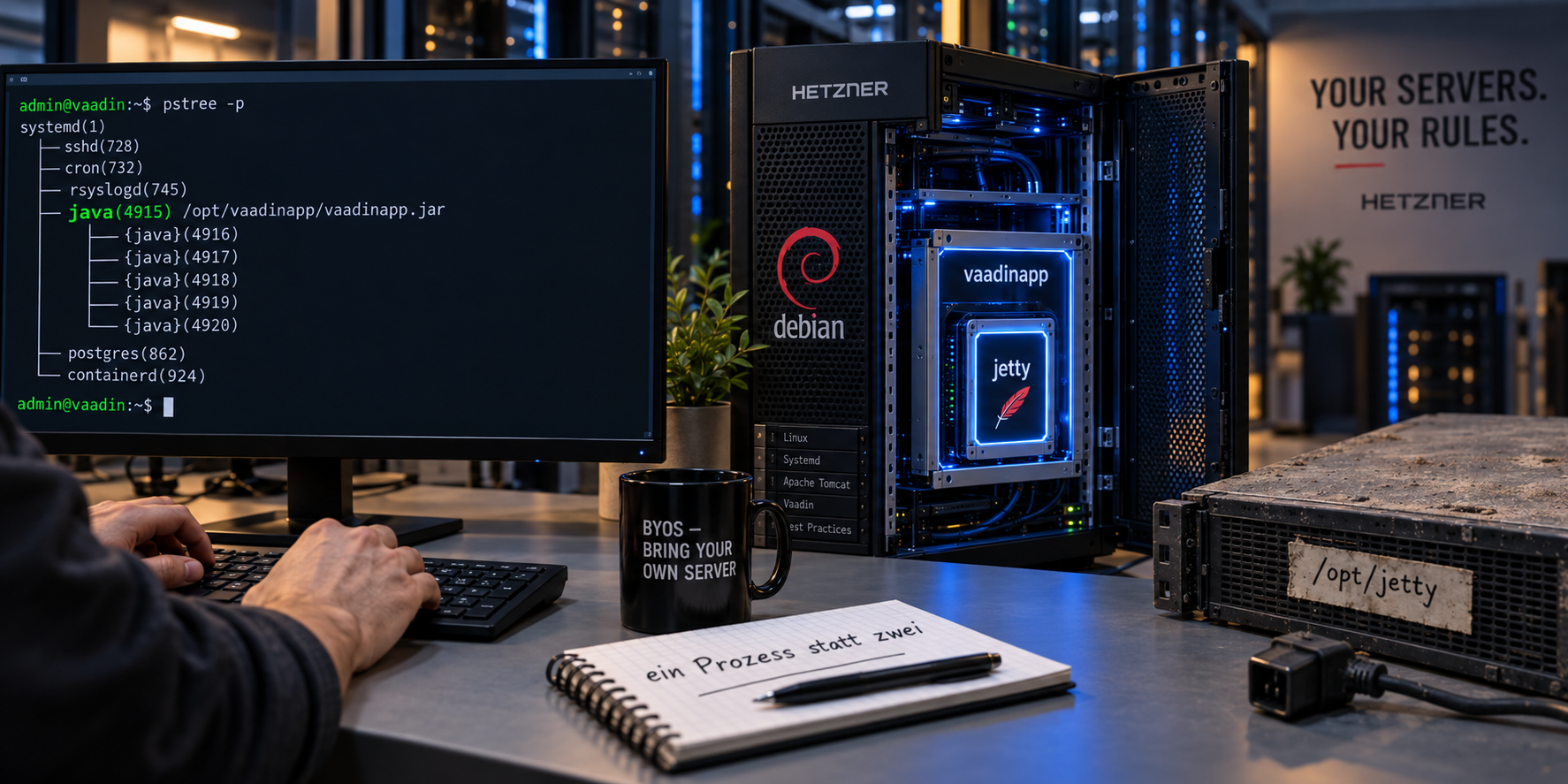
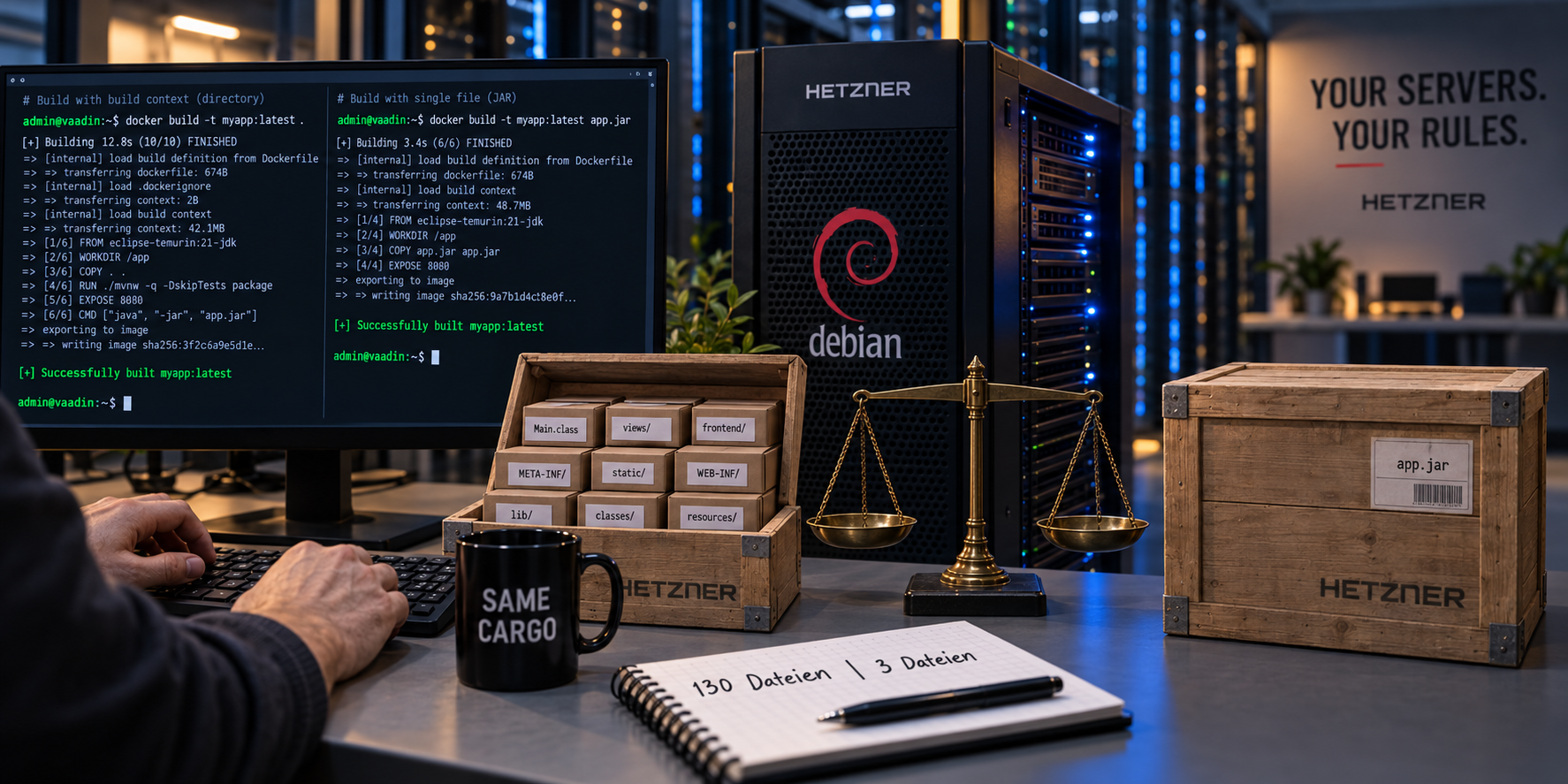
Fourth part of the series Vaadin – Deployment on Hetzner. The focus is not on the bootstrap but on the packaging: one archive or a directory tree, and what that means for delivery, rollback, and diagnosis. All commands, outputs, and measurements come from an actual run.
Bootstrap and packaging are two decisions
At the end of Part 3, the application brings its own server. There is no
/opt/jetty anymore, no start.d/*.ini, no module mechanism — just a
main() method that assembles server, connector, and context. What sits on the
reference server looks like this:
/opt/vaadinapp/
├── app.jar            8,908 Bytes
├── lib/               127 archives, 29.74 MB
├── logs/
└── releases/
It is started with an explicit classpath:
java -cp '/opt/vaadinapp/app.jar:/opt/vaadinapp/lib/*' \
     com.svenruppert.flow.Application
That is a delivery form. But it is not one that was ever decided on. It is what remained after Part 3 had answered a different question.
The boundary runs differently here
Every part so far has moved a boundary. Part 1 turned the application into a service, Part 2 made it publicly reachable, Part 3 pulled the server behind the dashed line. This part moves no boundary. It changes not a single line of Java.
That is not modesty but the point of this part: the bootstrap and the packaging are two independent decisions, and they are regularly confused with each other.
| Question | Decision | answered in |
|---|---|---|
| Who starts the server? | Container with WAR or its own main() | Part 3 |
| How does what is started get onto the machine? | one archive or a directory tree | here |
Part 3 left the second question open — visible in the fact that the delivery
there knows neither a start script nor a release structure. The classpath sits
in the systemd unit, the directory /opt/vaadinapp contains exactly one
version, and a change overwrites it.
Two answers to choose from
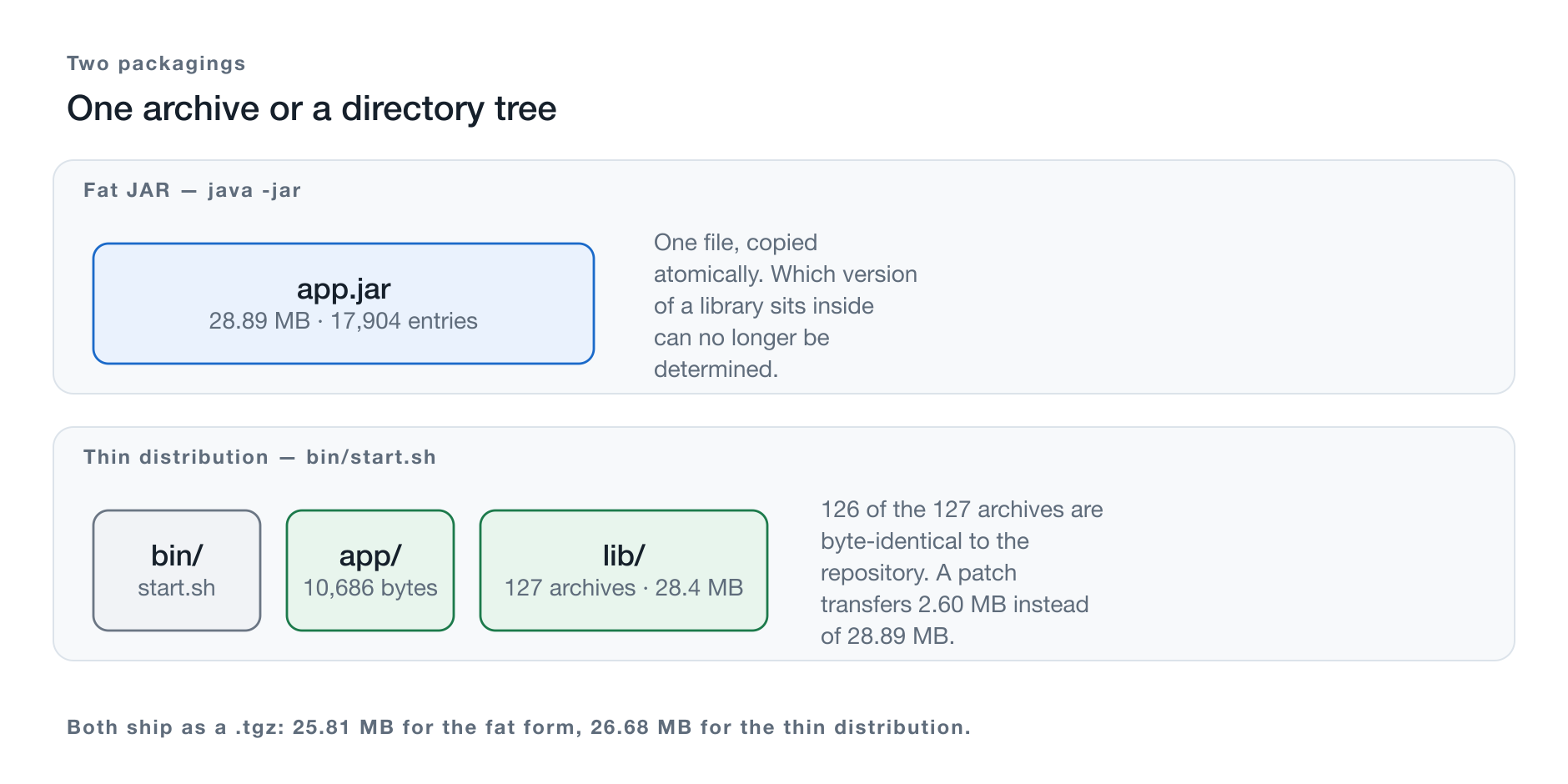
Figure 1: The same classes, the same dependencies — two delivery forms.
The Fat JAR puts everything into a single archive. 128 files become one.
Startup is java -jar, delivery is an scp, and what lies inside the archive
can no longer be seen from the outside.
The Thin Distribution keeps the separation and organizes it: the start
script in bin/, the application archive in app/, the dependencies in
lib/. Startup is a script, delivery is a directory, and every library remains
visible as its own file.
Both forms are old, both are in use, and neither is the more modern one. Whoever pits them against each other is really asking a different question:
Should the delivery show its components or hide them?
Why these are two profiles and not two modules
Part 3 introduced a separate Maven module for each delivery form —
war-jetty and embedded-jetty. The reason was compelling: both forms needed
the same source tree under incompatible assumptions, and exactly that produced
the mistake that carried Jetty into the WAR.
Here, that conflict does not exist. Fat JAR and Thin Distribution arise from
the same classes, the same dependencies, and the same scopes. They differ
solely in how the result is wrapped up. Two modules that contain no Java code
and differ only in one plugin block would be scaffolding without substance —
the same kind of construction Part 3 criticized in the deleted _shadejar
profile.
That is why the reactor stays at three modules, and the two packagings are two profiles of one of them:
mvn -Pproduction,thin   package     # bin/, app/, lib/, and a .tgz
mvn -Pproduction,fatjar package     # bin/, app/ with one archive inside
mvn package                         # just the application archive, for development
The code state for this part
The repository carries the state this part describes as tag teil-04.
A git diff teil-03 teil-04 shows exactly what was added: the two profiles,
the assembly descriptors, and the start script — not a line of Java.
git clone https://github.com/svenruppert/Blog-Vaadin-Deployment-on-Hetzner
cd Blog-Vaadin-Deployment-on-Hetzner
git checkout teil-04
At state teil-04, there is no bill of materials in the release yet. The
project does generate an SBOM, but it stays in the build directory. Why that is
a shortcoming and how it gets fixed is the subject of a separate article; the
measurements in this part refer to the state without it.
What this part delivers
At the end, both forms stand built side by side: an archive of just under 29 MB and a directory tree of 130 files, both from the same source code, both with the same start script. Plus the places where the merging fails silently, and the reason why a Fat JAR starts at all where Part 3 had measured the opposite.
Delivery happens in Part 5. That is where the releases in numbered
directories come in, the current symlink, the rollback — and the measurement
that decides between the two forms. Part 1 had explicitly deferred the symlink
procedure to “where it unfolds its purpose with the directory distribution”;
that promise is redeemed in the next part.
The starting point is the question every packaging begins with: what does the build leave behind that wants to be packaged in the first place?
What the build leaves behind
Before deciding on packagings, it must be clear what is to be packaged. A
mvn -Pproduction package in the reactor leaves behind not a single result but
a set of components of very different sizes and origins.
The application code
The embedded-jetty module produces an archive of 10,686 bytes. It
contains a single class: Application, the bootstrap from Part 3. Nothing else.
$ ls -l embedded-jetty/target/vaadinapp-embedded-jetty-00.01.00.jar
-rw-r--r--  10686  vaadinapp-embedded-jetty-00.01.00.jar
Ten kilobytes against just under thirty megabytes of dependencies — the ratio is roughly 1 to 2,800. That number is the reason the question of this part gets asked at all: if something changes in the application, ten kilobytes change. Everything else stays as it was.
Vaadin and the production bundle
The application itself — views, security layer, translations — lives in the
core module and weighs 2.47 MB. The larger part of it is not Java bytecode
but the production bundle: 142 entries under META-INF/VAADIN, left there
by the vaadin-maven-plugin’s build-frontend.
$ unzip -l lib/vaadinapp-core-00.01.00.jar | grep -c META-INF/VAADIN
142
This bundle is only produced under -Pproduction. If it is missing, the
application starts anyway — and serves an empty page. Part 3 therefore built a
check into the bootstrap that aborts startup instead of offering a server that
has nothing to display.
Jetty
26 archives, 4.1 MB. This is the server Part 3 turned into a dependency:
jetty-server, jetty-ee11-webapp, the annotation scanner, the WebSocket
container, and their underpinnings.
For comparison: the Jetty installation Part 3 dismantled occupied 53 MB. The embedded setup gets by with a thirteenth of that, because it brings only the libraries and not the module mechanism, startup process, and deployment scanner.
The remaining dependencies
| Origin | Archives | Size | Share |
|---|---|---|---|
| BouncyCastle | 1 | 8.5 MB | 30 % |
| Vaadin and Push | 57 | 4.8 MB | 17 % |
| Jetty | 26 | 4.1 MB | 15 % |
| Jackson, jsoup, and others | 7 | 3.1 MB | 11 % |
| EclipseStore | 7 | 3.1 MB | 11 % |
| own modules | 3 | 2.6 MB | 9 % |
| jCustos | 9 | 1.0 MB | 4 % |
| Jakarta APIs | 10 | 0.8 MB | 3 % |
| ASM | 4 | 0.3 MB | 1 % |
| SLF4J | 3 | 0.1 MB | 0 % |
| total | 127 | 28.4 MB |
The first row deserves a look. A single archive, bcprov-jdk18on, accounts
for 30 percent of the entire delivery. BouncyCastle provides Argon2id for the
password hashes; alongside that, the library brings the complete rest of its
cryptography, none of which the application ever calls.
This is the point where the temptation arises to clean up with minimizeJar —
and the point where that temptation must be resisted. The minimization works
via static reachability; it does not see what gets loaded via ServiceLoader,
reflection, or a provider name in a configuration file. With a cryptography
library whose algorithms are registered in exactly that way, this is no
theoretical risk. The series keeps BouncyCastle in full.
What follows from this
Two observations carry the rest of this part.
First: the components change at different speeds. The ten kilobytes of application code change with every bug fix; the 8.5 MB of BouncyCastle change when a security advisory forces it. A packaging that treats both the same transfers everything on every change.
Second: the components cannot be thrown together arbitrarily. 127 archives
carry 36 service provider files, five of which share the same name. Today they
sit side by side because every archive has its own META-INF. Whoever puts
everything into one archive must answer this question — otherwise chance
answers it. Chapter 5 shows what happens then.
The Fat JAR
The basic idea
A JAR is a ZIP archive with a manifest. The Java runtime places no condition on its content other than that class files sit under their package path. Nothing prevents putting the content of all dependencies into the same archive.
That is exactly what a Fat JAR is: 128 archives are unpacked and their content written into one shared archive. What results is, to the JVM, a perfectly ordinary archive — it does not notice that it was assembled from many.
The appeal is obvious: one file. Copying is atomic, there is no classpath to formulate, no directory that can arrive incomplete during transfer, and no way to forget a library.
Executable archive and manifest
java -jar archiv.jar works if the manifest names a Main-Class:
Manifest-Version: 1.0
Main-Class: com.svenruppert.flow.Application
Multi-Release: true
The second entry is the one that gets overlooked. Several dependencies ship
version-dependent classes under META-INF/versions/; in the built Fat JAR of
this application there are 1,576 entries. Without Multi-Release: true,
the JVM skips every one of them and uses the base version — no message, no
error, and possibly different behavior.
This fits a pattern that runs through this part: packaging mistakes do not announce themselves at build time.
Building with Shade
There are three ways to produce a Fat JAR. The series uses
maven-shade-plugin, and the other two were ruled out for reasons that belong
to the subject matter.
Nested archives — Spring Boot’s approach — place the archives as archives
inside the outer archive. That preserves their separation but demands a custom
class loader, because the JVM does not read archives inside archives on its
own. The application would then face the problem from Part 3 again:
java.class.path would contain only the outer archive, and Jetty’s scanner
would not see the inner ones. Spring Boot solves this with its own class loader
and its own integration with the frameworks. Without that substructure, the
approach is the worse choice for an application that relies on annotation
scanning.
maven-assembly-plugin could do both, but its prefabricated descriptor
jar-with-dependencies does not merge META-INF/services — it declares no
containerDescriptorHandler. The files then overwrite each other, and what
that wreaks is shown in Chapter 5 on a running example.
That leaves Shade. The configuration sits in a profile of the
embedded-jetty module:
<plugin>
    <groupId>org.apache.maven.plugins</groupId>
    <artifactId>maven-shade-plugin</artifactId>
    <executions>
        <execution>
            <id>shade-application-jar</id>
            <phase>package</phase>
            <goals><goal>shade</goal></goals>
            <configuration>
                <outputFile>${project.build.directory}/vaadinapp-${project.version}-fat.jar</outputFile>
                <createDependencyReducedPom>false</createDependencyReducedPom>
                <minimizeJar>false</minimizeJar>
                <transformers>
                    <transformer implementation="…ManifestResourceTransformer">
                        <mainClass>com.svenruppert.flow.Application</mainClass>
                        <manifestEntries>
                            <Multi-Release>true</Multi-Release>
                        </manifestEntries>
                    </transformer>
                    <transformer implementation="…ServicesResourceTransformer"/>
                </transformers>
                <filters>…</filters>
            </configuration>
        </execution>
    </executions>
</plugin>
Two settings deserve a justification.
outputFile places the merged archive next to the ordinary one instead
of replacing the module’s main artifact. Without this line, only the Fat JAR
would remain after the build — and with it, nothing left to compare it against.
Both forms are meant to sit side by side in target/.
minimizeJar=false, for the reason from Chapter 2: minimization removes
what is not statically reachable and thereby misses everything loaded via
ServiceLoader or reflection. With 30 percent cryptography in the archive,
this is not a setting to economize on.
The invocation:
mvn -Pproduction,fatjar packageThe result is a file of 28,890,183 bytes with 17,904 entries, started with
java -jar, HTTP 200 on / and /login.
It is not delivered bare but in a release of the same shape as the Thin Distribution — the justification for that is in Chapter 6. Which first raises a question that Part 3 had answered differently.
Why the Fat JAR works where java -jar failed
Part 3 carries a chapter titled “Why there is no java -jar”.
It justifies this with a measurement:
| Startup | Jetty’s timestamp |
|---|---|
java -jar app.jar | 139 ms |
java -cp 'app.jar:lib/*' | 1,523 ms |
The reasoning there: with java -jar, java.class.path contains a single
entry — the application archive. Exactly this property is what Jetty’s
MetaInfConfiguration reads to determine which archives the annotation scanner
opens. No scan, no RouteRegistryInitializer, no StaticFileHandler. The
server responds, and every request fails.
The Fat JAR is started with exactly this java -jar. And it runs.
The resolution
It is the same mechanism, viewed from the other side.
With java -jar, one archive sits on the classpath, and exactly this one
is searched. The only question is what lies inside it.
| Content of the one archive | Result of the scan | |
|---|---|---|
Thin Distribution with java -jar | Application.class | nothing |
Fat JAR with java -jar | all 128 archives | everything |
In the Thin Distribution, the ServletContainerInitializer Vaadin needs sits
in flow-server. That file is never opened, because it is inside one of the
127 archives that are not on the classpath. In the Fat JAR, it sits in the same
archive as everything else.
The Fat JAR works not despite but because of the property that breaks the Thin Distribution. One archive on the classpath is enough exactly when it is complete.
Whoever has understood this also understands why Spring Boot brings its own class loader. That is not a quirk but the price of keeping the archives as archives and still having them found.
The second place where the same thing happens
The annotation scan is not the only place where the bootstrap depends on
several archives contributing. Part 3 assembled the base resource of the web
context by hand, because several archives bring a META-INF/resources branch:
Collections.list(Application.class.getClassLoader()
        .getResources("META-INF/resources/"))
At startup, this line writes to the log how many roots it found. The comparison of both forms:
Thin Distribution:  Serving static web resources from 5 classpath root(s)
Fat JAR:            Serving static web resources from 1 classpath root(s)
Both serve the same files. Only the merging happens at different points in time — for the Fat JAR at build time through Shade, for the Thin Distribution at startup through the class loader. It is the same difference as with the classpath, made visible in a second place.
This also makes clear which risk the Fat JAR carries at this point: if Shade
lays two identically named files on top of each other, one wins and the other
is gone. In this application, that does not happen — the overlapping resources
are exclusively license and manifest files, not one of which is ever served.
Verified, not assumed: the build reports the overlaps, and the list contains
META-INF/NOTICE.md, META-INF/LICENSE, and relatives.
What this means for the choice
It does not mean that the Fat JAR is the better form. It means that the statement from Part 3 needs to be phrased more precisely than it was there:
The problem is not java -jar but a classpath that contains less than the
scanner needs to find.
The Thin Distribution solves this with an explicit classpath, the Fat JAR with a complete archive. Both are answers to the same condition.
And it means that a packaging takes on tasks that would otherwise occur at runtime — which also means it can fail where at runtime there was nothing to fail. The next chapter demonstrates what that looks like.
Trouble spots in the Fat JAR
128 archives have 128 META-INF directories. One archive has one. What happens
in between is the actual content of this chapter — and all four trouble spots
share the same property: they do not announce themselves at build time.
Service providers overwrite each other
The ServiceLoader finds providers via files under META-INF/services/, named
after the interface. In this application there are 36 such files with a
combined 85 entries — spread across 27 distinct names. Five names occur more
than once.
Side by side in lib/, that is no problem: every archive has its own
META-INF, and the ServiceLoader reads all occurrences via getResources().
In a shared archive, the same path can exist only once.
The most significant of the five names:
META-INF/services/jakarta.servlet.ServletContainerInitializer

  atmosphere-runtime-3.0.5      AnnotationScanningServletContainerInitializer
                                ContainerInitializer
  flow-server-25.2.6            LookupServletContainerInitializer
                                RouteRegistryInitializer
                                ErrorNavigationTargetInitializer
                                AnnotationValidator
                                WebComponentExporterAwareValidator
                                WebComponentConfigurationRegistryInitializer
                                VaadinAppShellInitializer
  jetty-ee11-websocket-…-server JakartaWebSocketServletContainerInitializer
There sits RouteRegistryInitializer — exactly the class whose absence Part 3
diagnosed. And in the same situation is
org.eclipse.jetty.ee11.webapp.Configuration, claimed by four archives; one of
them supplies the annotation scanner, another the twelve base configurations of
the web context.
The ServicesResourceTransformer merges these files. The evidence that it does
its job:
| Files | Provider entries | |
|---|---|---|
raw in lib/ | 36 | 85 |
| in the Fat JAR | 27 | 85 |
Nine files fewer, not one entry lost.
What happens without it
This can be demonstrated. Take the same Fat JAR and replace each of the five multiply assigned service files with just one of its versions — exactly what merging without the transformer produces — and the result is:
$ java -jar fat-naive.jar
[main] INFO  Serving static web resources from 1 classpath root(s)
[main] INFO  Started oejs.Server@272ed83b{STARTING}[12.1.12,sto=0] @61ms
[main] INFO  Embedded Jetty serving http://127.0.0.1:8097/

$ curl -o /dev/null -w '%{http_code}\n' http://127.0.0.1:8097/
500

java.lang.NullPointerException: Cannot invoke
  "com.vaadin.flow.server.StaticFileHandler.serveStaticResource(…)"
  because "this.staticFileHandler" is null
This is literally the same failure as pitfall 15 from Part 3 — the same exception, the same startup time in the double-digit millisecond range, the same responding but unusable application:
| Startup time | HTTP | |
|---|---|---|
| Fat JAR, merged | 1,651 ms | 200 |
| Fat JAR without transformer | 61 ms | 500 |
| Thin Distribution | 1,709 ms | 200 |
Part 3: java -jar with Class-Path | 139 ms | exception |
Two completely different causes — there an incomplete classpath, here a destroyed provider directory — lead to the identical symptom. Whoever has seen this signature once will recognize it again: if the server starts in under 200 milliseconds, no scan has taken place.
Signatures break
Signed archives carry files with the extensions .SF, .DSA, and .RSA under
META-INF. They describe checksums of the entries of the archive they were
created for. Carried over into a different archive, they no longer match its
content, and the JVM rejects the archive with a SecurityException.
<exclude>META-INF/*.SF</exclude>
<exclude>META-INF/*.DSA</exclude>
<exclude>META-INF/*.RSA</exclude>
The side effect must be named: the signature is gone. Whoever needs it re-signs the Fat JAR after the build — the individual signatures cannot be salvaged.
Module descriptors collide
An archive can carry a module-info.class. 128 archives carry several. Laid on
top of each other, one remains — describing the requires and exports of a
module that no longer exists in that form.
<exclude>module-info.class</exclude>
<exclude>META-INF/versions/*/module-info.class</exclude>
The second line is easily forgotten: multi-release archives place their module
descriptor under META-INF/versions/9/, not in the root.
Multi-release versions disappear
The opposite pole — here nothing is excluded; something is set. The built Fat
JAR contains 1,576 entries under META-INF/versions/. Without
Multi-Release: true in the manifest, the JVM skips them all.
One exclusion too many and one manifest entry too few thus lead to opposite failures, and both stay silent.
Identically named resources
That leaves the general case: two archives, the same file, different content. Shade reports this as a warning and keeps one. When building this application, seven groups are affected:
 10 archives → META-INF/NOTICE.md
  7 archives → LICENSE
  7 archives → META-INF/LICENSE.md
  6 archives → META-INF/LICENSE.txt
  3 archives → META-INF/LICENSE, META-INF/NOTICE
  2 archives → META-INF/versions/9/OSGI-INF/MANIFEST.MF
128 archives → META-INF/MANIFEST.MF
Exclusively license, notice, and manifest files. None of them is read at runtime, none is served — in this case the warning is without consequence.
It must be read anyway, every single time. The list does not say that overlaps are harmless; it says that they are harmless here. If a dependency were added that brings a configuration file under a common name, it would appear in the same list, between the license files, and would be overlooked.
The legal side finding belongs here too: ten archives ship a
META-INF/NOTICE.md, nine of them disappear. Whoever redistributes third-party
software also passes on the notice obligations. A Fat JAR does not fulfill them
by itself — the merged license collection is a separate build step, which this
series covers via the SBOM it already generates.
Delivering the Fat JAR
Delivering a Fat JAR is the shortest section of this part, and that is its most important characteristic.
The procedure
The Fat JAR is not deposited as a bare file but as a release of the same
shape as the Thin Distribution — just without lib/:
vaadinapp-00.01.00/
├── VERSION
├── bin/
│   └── start.sh          same file as in the thin distribution
└── app/
    └── vaadinapp.jar     28,89 MB
That is not a formality. The start script from Chapter 9 sets
CLASSPATH="$APP_HOME/app/*:$APP_HOME/lib/*"as the classpath. If lib/ is missing, the second half comes up empty — and
the one complete archive in app/ is all the annotation scan needs. Exactly
the property from Chapter 4. The same file starts both forms, byte for byte
unchanged.
The release is produced in the same profile as the archive:
mvn -Pproduction,fatjar package
# → target/vaadinapp-00.01.00-fatdist.tar.gz   25,807,851 Bytes
The delivery afterwards is the same as in Part 5, Chapter 3:
scp embedded-jetty/target/vaadinapp-00.01.00-fatdist.tar.gz \
    sven@demo.svenruppert.com:/tmp/

ssh sven@demo.svenruppert.com '
  STAMP=$(date -u +%Y-%m-%d-%H%M)-fat
  sudo install -d -m 750 -o root -g vaadinapp /opt/vaadinapp/releases/$STAMP
  sudo tar -xzf /tmp/vaadinapp-00.01.00-fatdist.tar.gz \
           -C /opt/vaadinapp/releases/$STAMP --strip-components=1
  sudo chown -R root:vaadinapp /opt/vaadinapp/releases/$STAMP
  sudo ln -sfn releases/$STAMP /opt/vaadinapp/current
  sudo systemctl restart vaadinapp'
The systemd unit is not touched in the process. It calls
/opt/vaadinapp/current/bin/start.sh, and which form lies behind it is none of
its business. That is the payoff of the cut from Chapter 9: because the release
says how it wants to be started, the change of form is the same procedure as
any release change — one symlink and one restart.
And it is the precondition for Part 5, Chapter 6 to be able to measure at all: same machine, same unit, same environment, same hardening. The only difference is the content of the release directory.
What stands out — and what it costs
The shape of the release is the same; its content is not. Where the Thin
Distribution has a lib/ with 127 named archives, here stands one file — and
with it, the question of which libraries belong to the application disappears.
It is not hard to answer — it can no longer be asked:
$ ls /opt/vaadinapp/current/
VERSION  app  bin
$ ls /opt/vaadinapp/current/app/
vaadinapp.jar

$ unzip -l /opt/vaadinapp/current/app/vaadinapp.jar | tail -1
17,904 files
Just under eighteen thousand entries and no provenance. Whether the version of BouncyCastle in this archive is the one for which a security advisory has just appeared can no longer be determined here — the classes are inside, the version numbers are not.
Against this there is exactly one effective remedy, and it belongs to due
diligence anyway: the SBOM the reactor generates with cyclonedx. It is
written at build time, when the provenance is still known, and must be kept
together with the artifact. For the Fat JAR it is not an accessory but the only
remaining source of this information.
The difference from the WAR in Part 1
For updates, Part 1 decided in favor of copying and against the symlink — on
the grounds that for a single file, a symlink offers nothing that mv does not
already provide. The same holds for the Fat JAR: here too, one could work
without a symlink.
It appears in the commands above anyway, and the reason lies not with this form but with the procedure: from Part 5, Chapter 3 on, the reference server works with release directories, and the Fat JAR hooks in there as one of several releases. Only this way is the switch between the two forms the same procedure that Part 5, Chapter 4 describes — and not a special path that exists solely for the measurement.
What is remarkable is how little remains that distinguishes the two forms. Not the unit, not the start script, not the rollout procedure, not the hardening. Only the content of one directory. That is exactly why the choice between them is not an architecture decision but an operations decision — which is what Part 5, Chapter 7 comes down to.
The Thin Distribution
The second answer keeps the separation the Fat JAR dissolves, and organizes it.
What Part 3 left behind as app.jar next to a lib/ is given a form here:
vaadinapp-00.01.00/
├── VERSION
├── bin/
│   └── start.sh
├── app/
│   └── vaadinapp.jar          10,686 Bytes
└── lib/
    ├── bcprov-jdk18on-1.84.jar
    ├── flow-server-25.2.6.jar
    └── …                      127 archives, 28.4 MB
Three directories whose division is not aesthetic but maps the speed of change.
bin/
Here lies how this release wants to be started. It is not the machine that knows this but the delivery itself — which means it can also be started outside systemd, during development, on another computer, in a container. Chapter 9 justifies what belongs in this script and what does not.
app/
An archive of ten kilobytes. It contains the bootstrap and nothing else.
That this directory is created for a single file looks like ceremony and is
the heart of the matter: this is the part that changes. A bug fix to the
application changes app/ and leaves lib/ untouched. If the two were merged,
this distinction could no longer be made — and with it would go the practical
advantage of this form, which Part 5, Chapter 6 measures in bytes.
A note on this series’ application: the application code here lives in the
core module and therefore in lib/, not in app/. That is a consequence of
the reactor structure from Part 3 — core is a dependency of embedded-jetty,
and copy-dependencies treats it like any other. In a project that keeps
application code and bootstrap in one module, it would live in app/. This
changes nothing about the statement, but it shifts the boundary: in this
application it is 2.47 MB in lib/ that change frequently, instead of ten
kilobytes in app/.
lib/
127 archives, each under its own name with its own version number.
This is the difference from the Fat JAR that is easiest to demonstrate. The question “which version of BouncyCastle is on the server?” answers itself here like this:
$ ls /opt/vaadinapp/current/lib | grep bcprov
bcprov-jdk18on-1.84.jar
With the Fat JAR, the same question cannot be answered. Not harder — cannot be answered: the classes are inside, their provenance is not. One can search for a class and infer which library contributed it; the version is no longer written anywhere.
For a machine you administer yourself, this is the decisive difference. When a
security advisory appears for a library, the first question is always the same:
am I affected? The Thin Distribution answers it with an ls.
VERSION
One line with the version number, filled in by Maven at build time. It is needed because the release directories on the server are named after the point in time and not after the version — the justification is in Part 5, Chapter 4. Without this file, a release would not reveal which version it contains.
What this form does not provide
It is not atomic. 128 files cannot be replaced in one step, and an interrupted copy leaves behind a state that is neither the old one nor the new one. That is exactly where the procedure in Part 5, Chapter 4 comes from, and exactly why it appears in this part and not already in Part 1.
And it is sensitive to anything that settles unnoticed into lib/. Part 3
learned that the hard way: the classpath wildcard lib/* takes every file
ending in .jar, including the eleven AppleDouble files that macOS’s tar had
thrown in. The wildcard checks nothing; it only expands.
Separating application archive and libraries
The separation from Chapter 7 must come into being at build time. Maven offers two ways to do this, and they are not mutually exclusive — the series uses both, for different purposes.
The classpath is the actual decision
First, the observation from which everything else follows: a classpath is an ordered list. Java searches it from the front and takes the first hit.
java -cp 'app/*:lib/*' com.svenruppert.flow.ApplicationTwo entries, in this order. If the same class exists in app/ and in lib/,
app/ wins. That is no accident but the basis for being able to replace a
single class without touching the library it comes from — a tool for
emergencies, not for everyday use, but it exists only as long as the components
stay separate.
The wildcard * is a peculiarity of the JVM here, not of the shell. Java
itself expands it to all .jar files in the directory, in no defined
order. Whoever needs a particular order within lib/ cannot enforce it this
way; the archives must be listed individually. For this application, that is of
no consequence — there is no class assigned twice — but it is the reason the
quotation marks must surround the expression: without them, the shell expands,
and Java receives a list of file names instead of a classpath.
copy-dependencies
The simpler way. maven-dependency-plugin copies everything needed at runtime
into a directory:
<plugin>
    <groupId>org.apache.maven.plugins</groupId>
    <artifactId>maven-dependency-plugin</artifactId>
    <executions>
        <execution>
            <id>collect-libraries</id>
            <phase>prepare-package</phase>
            <goals><goal>copy-dependencies</goal></goals>
            <configuration>
                <outputDirectory>${project.build.directory}/lib</outputDirectory>
                <includeScope>runtime</includeScope>
                <overWriteIfNewer>true</overWriteIfNewer>
            </configuration>
        </execution>
    </executions>
</plugin>
includeScope=runtime is the line that counts. It takes compile and
runtime along and leaves provided and test out. In the WAR from Parts 1
and 2, the Servlet API was provided — the container supplied it. Here it is
compile, because the application itself is the container. This one scope
change is the entire difference between the two modules; everything else
follows from it.
The result is exactly what Part 3 delivered: an application archive and a
lib/ next to it. For development, that is entirely sufficient.
Why that is not enough for a delivery
Three things are missing.
A place. After the build, target/ also contains test classes, Checkstyle
reports, and intermediate artifacts. What gets delivered must be named as a
unit, not picked out of a build directory.
The start script. It lives in src/main/dist/bin and is not touched by
copy-dependencies — the plugin copies dependencies, not the project’s own
files.
The transfer. A directory cannot be copied like a file. It needs a
transport form, and this transport form must preserve the permissions — in
particular the execute permission on the start script, which an ordinary
zip loses.
That is why Part 5, Chapter 2 adds a second step that turns the components into a delivery. First, however, the question the start script raises, and which reaches further than Maven: what belongs in it at all?
The start script
Since Part 1, the complete start command has been in the systemd unit:
ExecStart=/var/lib/vaadinapp/.sdkman/candidates/java/current/bin/java \
    -Djava.io.tmpdir=/var/lib/vaadinapp/work \
    -Dapp.storage.dir=/var/lib/vaadinapp/data \
    --add-exports java.base/jdk.internal.misc=ALL-UNNAMED \
    --enable-native-access=ALL-UNNAMED \
    -XX:MaxRAMPercentage=75 \
    -XX:+ExitOnOutOfMemoryError \
    -cp /opt/vaadinapp/app.jar:/opt/vaadinapp/lib/* \
    com.svenruppert.flow.Application
Nine lines that all seem to have the same right to be there. They do not.
The cut follows from what changes together
These nine lines can be sorted, by a single question: when does this change?
| Entry | changes | belongs |
|---|---|---|
-cp … | with every release | to the application |
| Main class | with the code | to the application |
--add-exports java.base/jdk.internal.misc | when EclipseStore no longer needs it | to the application |
--enable-native-access | ditto | to the application |
-Djava.io.tmpdir=… | when the machine is set up differently | to the machine |
-Dapp.storage.dir=… | ditto | to the machine |
-XX:MaxRAMPercentage=75 | when the machine gets more memory | to the machine |
-XX:+ExitOnOutOfMemoryError | with the operations decision | to the machine |
Path to java | with the JDK on this machine | to the machine |
The upper half are statements about this build state. --add-exports java.base/jdk.internal.misc=ALL-UNNAMED is there because EclipseStore reaches
into JDK internals; that is a property of this release’s dependencies, not a
property of the server. Keeping it on the machine means: a release that needs
one additional option demands a change to the unit — delivery and operations
are coupled, although they would not have to be.
The lower half are statements about this machine. They do not belong in an archive that could be unpacked on several machines.
What follows from this
The upper half moves into bin/start.sh and is versioned with the release.
The lower half stays in the unit:
Environment=JAVA_HOME=/var/lib/vaadinapp/.sdkman/candidates/java/current
Environment="JAVA_OPTS=-Djava.io.tmpdir=/var/lib/vaadinapp/work \
                       -Dapp.storage.dir=/var/lib/vaadinapp/data \
                       -XX:MaxRAMPercentage=75 \
                       -XX:+ExitOnOutOfMemoryError"
ExecStart=/opt/vaadinapp/current/bin/start.sh
And in the script:
APP_HOME=$(CDPATH= cd -- "$(dirname -- "$0")/.." && pwd)

JAVA_BIN=${JAVA_HOME:+$JAVA_HOME/bin/java}
JAVA_BIN=${JAVA_BIN:-java}

APP_OPTS="--add-exports java.base/jdk.internal.misc=ALL-UNNAMED \
          --enable-native-access=ALL-UNNAMED"
JAVA_OPTS=${JAVA_OPTS:-}

CLASSPATH="$APP_HOME/app/*:$APP_HOME/lib/*"

exec "$JAVA_BIN" $APP_OPTS $JAVA_OPTS \
     -cp "$CLASSPATH" com.svenruppert.flow.Application "$@"
The gain can be read off in one place: ExecStart has become one line and
never changes again. A release that needs different JVM options brings them
along. A rollback to an older release brings its options back — without anyone
having to remember.
The price is just as concrete: systemctl cat vaadinapp no longer shows
what is actually executed. Whoever wants to know reads
/opt/vaadinapp/current/bin/start.sh in addition. A diagnostic path from
Part 1 becomes one step longer, and that is a real loss, not a mere annoyance.
Three details that are not a matter of taste
exec — otherwise systemd watches the wrong thing. Without exec, the
shell remains as the parent process, systemd sees it as the main process, and
the SIGTERM on restart reaches the shell instead of the JVM.
SuccessExitStatus=143 from Part 1 then no longer describes what the service
does. The proof that exec takes effect is easy to produce — the process that
was started as a script is the JVM afterwards:
$ ./bin/start.sh &
[1] 71668
$ ps -o pid,comm= -p 71668
71668 …/candidates/java/current/bin/java
$ pgrep -f 'bin/start.sh' | wc -l
0
The same process ID, a different program. The shell no longer exists.
The wildcard belongs to Java, not to the shell. -cp "$CLASSPATH" with
quotation marks. Without them, the shell expands lib/* into 127 file names,
and Java receives 127 arguments instead of one classpath.
The script writes nothing next to itself. No PID file, no redirection into
a log file. Under ProtectSystem=strict from Part 1, the release directory is
read-only for the service; a write attempt aborts the start. Logs go to the
journal, as they have since Part 1.
Where the secrets go
Unchanged, into the unit, via systemd-creds. The script neither reads nor
names them. Had the assignment been made differently — secrets into the
release — a login secret would sit in an archive that gets built, copied, and
archived. The rule by which the cut was made here prevents that by itself: a
secret does not change with the release.
Outlook on Part 5
Both forms now exist, built. What distinguishes them is not yet decided at this point — and cannot be decided as long as neither of them has been deployed.
What remains open
The delivery itself. A Fat JAR is one file; an scp is enough. A Thin
Distribution consists of 128 files, and there is no way to replace 128 files in
one step. Exactly from this follows a procedure Part 1 had explicitly deferred:
releases in numbered directories and a current symlink that moves atomicity
from the files to the name.
The comparison. The question this series raised with “Fat JAR or Thin Distribution?” is a question of measurements — downtime, startup time, memory, change volume. Without a reference server, it cannot be answered.
The rollback. What happens when a release turns out to be no good. It is the actual reason for the entire release procedure, and it is done in two lines — provided the right things were done beforehand.
What is already taking shape
Two things from this part carry through into the measurement.
The two releases have the same shape. VERSION, bin/, app/, and only
in the Thin Distribution a lib/. The start script is byte for byte the same
file. So the systemd unit does not distinguish the forms, and switching between
them is the same motion as any release change. Without this sameness, a
comparison under equal conditions would not be possible at all — one would then
be comparing two setups instead of two packagings.
The classpath decides more than the file size. Chapter 4 showed that one archive is enough exactly when it is complete; Chapter 5, that the same application comes up in 61 milliseconds on a destroyed provider directory and still can do nothing. Whoever looks at the startup times in Part 5 should keep that number in mind.
An expectation I write down beforehand
So that it remains verifiable: I expect that memory footprint and startup time do not differ between the two forms. The same classes, the same bootstrap, the same runtime — the packaging should change nothing about that.
One of the two expectations holds. The other does not, and the difference is large enough that it cannot be argued away. Which one it is, is in Part 5, Chapter 6.